Add Activity Token Complexity Policy
See the Activity Token Complexity section for detailed descriptions of the fields.
Step 1 – Navigate to the Policy > Access Policies > Activity Token Complexity Policy page.
Step 2 – In the Activity Token Complexity list, click the Plus icon.
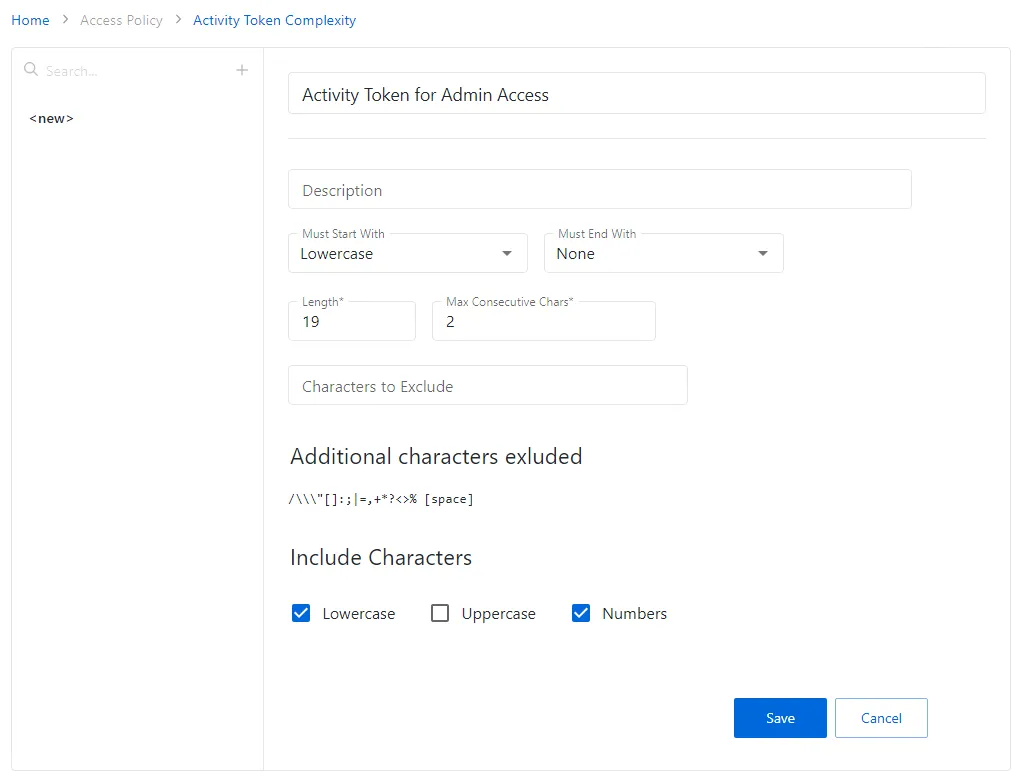
Step 3 – Enter the information you want to determine the complexity of the connection profile.
- Provide a unique name for the policy
- Provide an optional description to state the purpose of the policy
- Configure the complexity parameters (Must Start With, Must End With, and Length), as desired
tip
Remember, The maximum account name length value is 19 characters.
- Specify the maximum number of consecutive characters and select characters to exclude, if needed
- You can specify additional characters to exclude from the account name and configure granular rules for the characters to include (uppercase, lowercase, or numbers)
Step 4 – Click Save to create the new connection profile.
The new activity token complexity policy is added to the Activity Token Complexity Policy list.