Deployment Logs
The Deployment Record on the Related Lists tab contains the deployment log. You can also access the logs from Strongpoint > Reports > Release and Deployment.
Deployment logs have these sections:
- Deployment Log Detail
- Customizations
- Deployed Components and Apex Test Information
- Deployment Error Messages
- Notes and Attachments
- Deployment Components
Sample Deployment Log
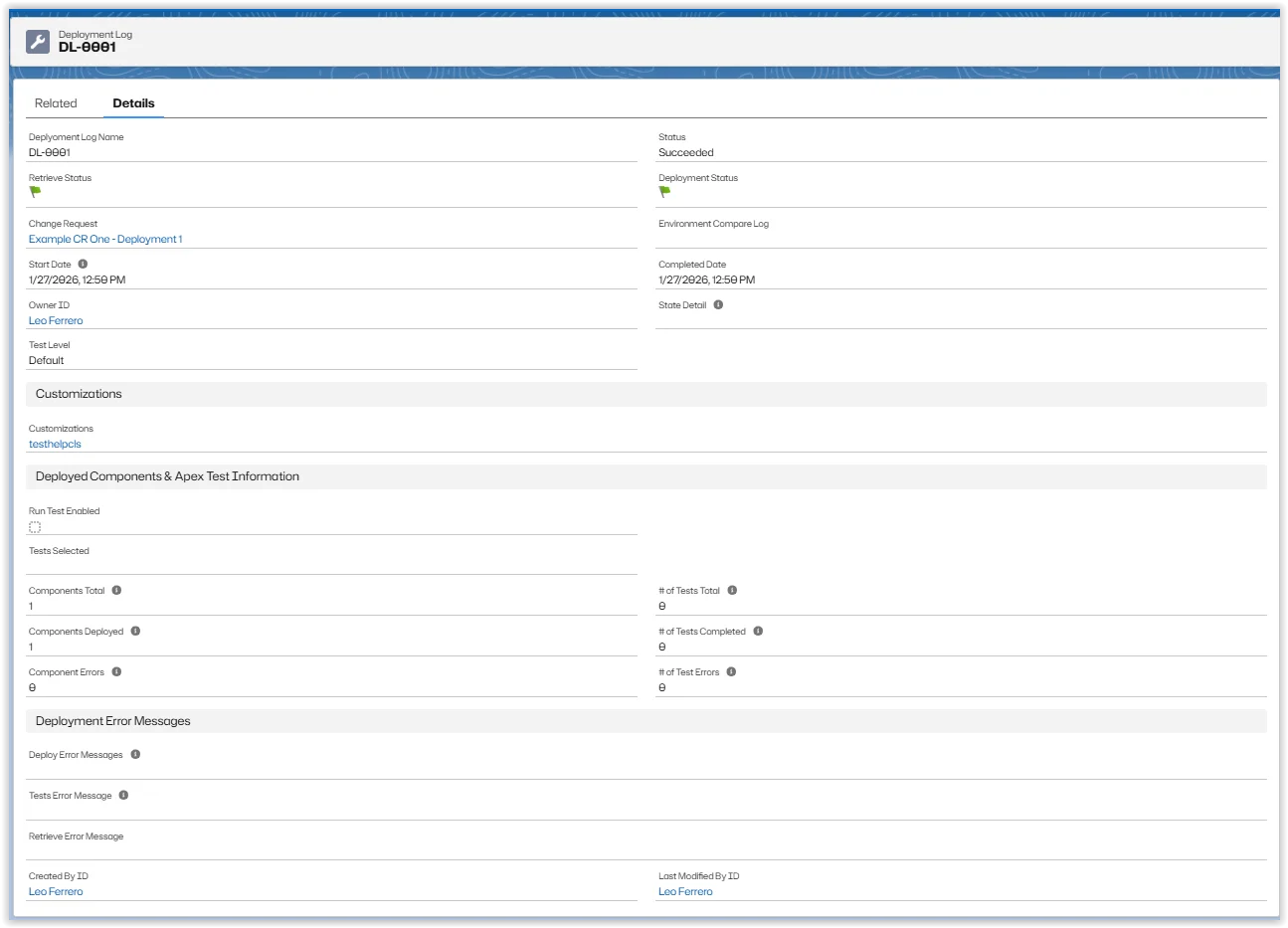
Deployment Log Detail
- Deployment Log Name: Name of the Deployment Record.
- Change Request: Link to the change request associated with the deployment record.
- Start Date: Date deployment was started.
- Owner: Link to the Deployment Owner. Click Change to edit the owner information.
- Status: Current status of the deployment. Double click to edit. Status options are:
- Pending
- InProgress
- Succeeded
- SucceededPartial
- Failed
- Canceling
- Canceled
- Retrieve In Progress
- Retrieve Completed
- Retrieve Failed
- Validation In Progress
- Validation Completed
- Validation Failed
- Rollback In Progress
- Rollback Partial
- Rollback Completed
- Rollback Failed
- Deployment Status: Green Flag for Succeeded Red Flag for Failed.
- Retrieve Status: Green Flag for Succeeded Red Flag for Failed.
- Completed Date: Date deployment was completed.
- State Detail: Component being deployed or the Apex test class running.
Customizations
Links to the customizations attached to the deployment record. The link opens the customization record.
Deployed Components and Apex Test Information
- Components Total: Number of components in the deployment.
- Components Deployed: Number of components deployed in the deployment process.
- Component Errors:Number of components generating errors during the deployment.
- # of Tests Total: Number of Apex tests for the deployment.
- # of Tests Completed: Number of Apex tests completed for the deployment.
- # of Test Errors: Number of Apex tests generating errors during the deployment.
Deployment Error Messages
- Deploy Error Messages: Lists the components and generated errors.
- Tests Error Message: Lists the test failures.
- Retrieve Error Message: Lists the error message if a retrieve fails.
- Created By: Link to user who created the deployment log.
- Last Modified By: Link to user who last modified the deployment log.
Notes and Attachments
The deployment generates attachments for validation and auditing. Use New Note to create a deployment note, or Attach File to add a file to the deployment log. You can edit, view, or delete notes and attachments.
Deployment Components
The deployment generates Deployment Components. Use New Deployment Component to add a deployment component to the deployment log. Deployment Components Name and Customization are links to the individual component or customization records. You can edit or delete Deployment Components.