Update Field Description and Help
Documentation only changes are always compliant. If Opportunistic Clearance is on, this object change is reported in the Change Log as Documentation Change for the Change Type and the Resolution set to Automatically cleared documentation change. Only Help or Description changed. The Change Log is closed.
-
Open Netwrix > Clean Up > Update Field Description and Help
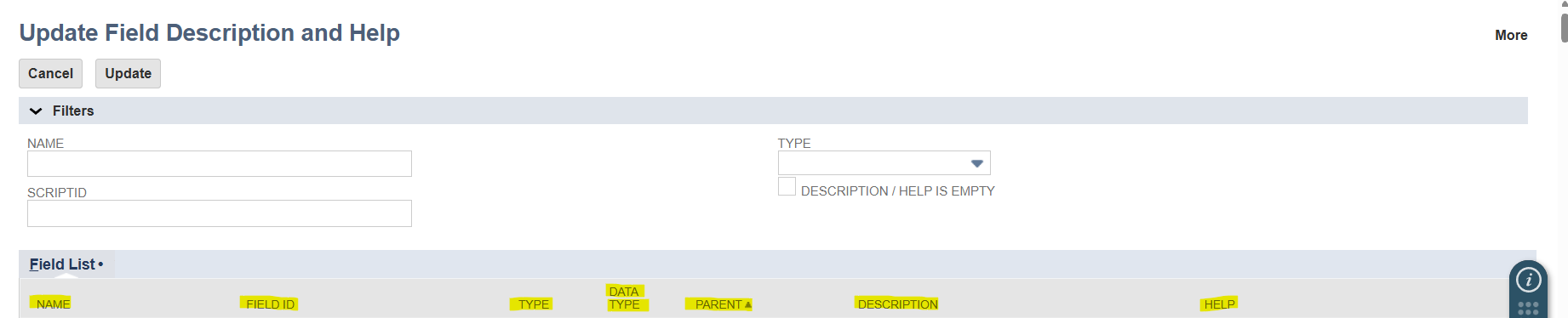
You can filter the results by Name, Script Id, Type or check the Description/Help is Empty checkbox to automatically hide rows with populated description and help from the Field List.
You can also click a column heading in the Field List to sort the list by the selected column.
noteThe column with the arrow up or arrow down is the column used for sorting. (Ascending or Descending Order)
-
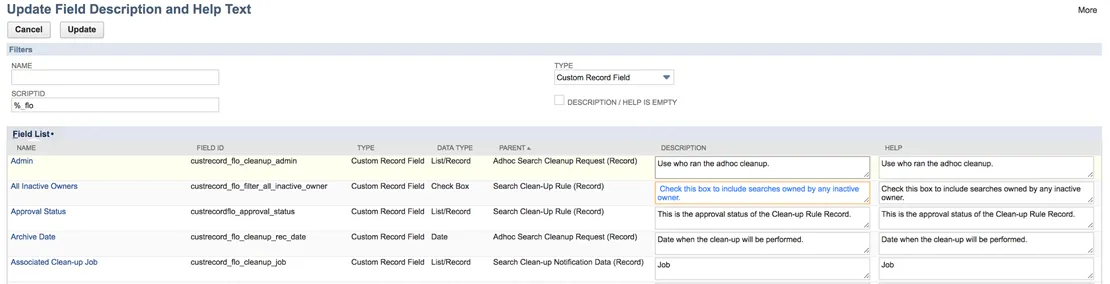
Add or edit Description and Help text. Edited text is highlighted in blue to indicate which fields have been modified.
-
Click Update to submit the changes. The page refreshes and displays the updated Descriptions and Help.