Changing or Deactivating Policies
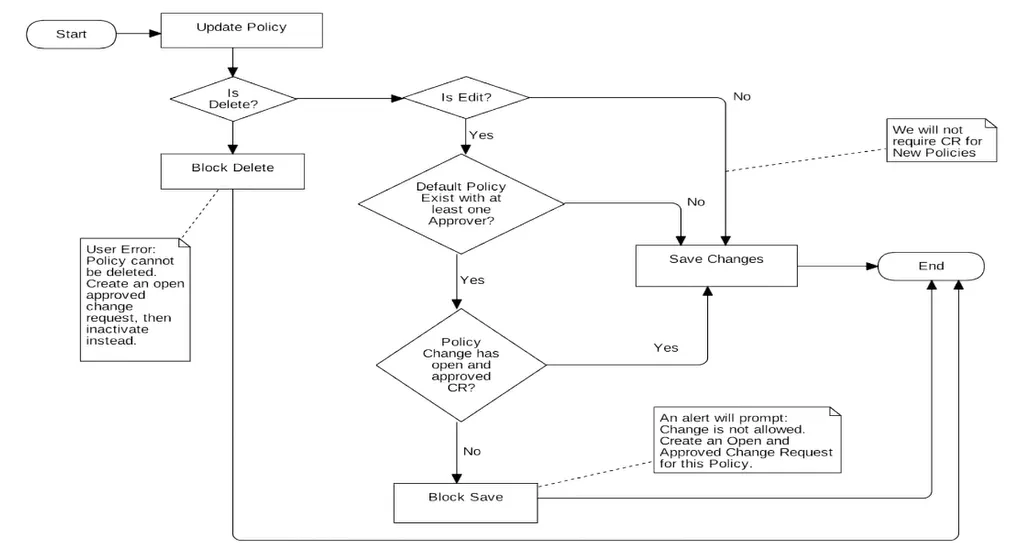
Policy records determine the noncompliance level of changes. Because changes to these records directly affect compliance levels, document and approve all modifications. You can deactivate or modify policies with an open and approved change request.
This diagram shows the overall process of what happens when you update a policy:
Change a Policy
You can modify an existing policy by creating an open and approved change request.
To change an existing policy:
-
Create a new change request.
-
Fill in all mandatory fields including:
- Change Type: Policy Change Approval
- Policies: Select the policy you want to deactivate.
- Get the Change Request Approved.
- Click Save
- Make the approved changes to the policy.
Deactivate a Policy
Policies can't be deleted; however you can deactivate the policy.
To deactivate a policy:
-
Create a new change request.
-
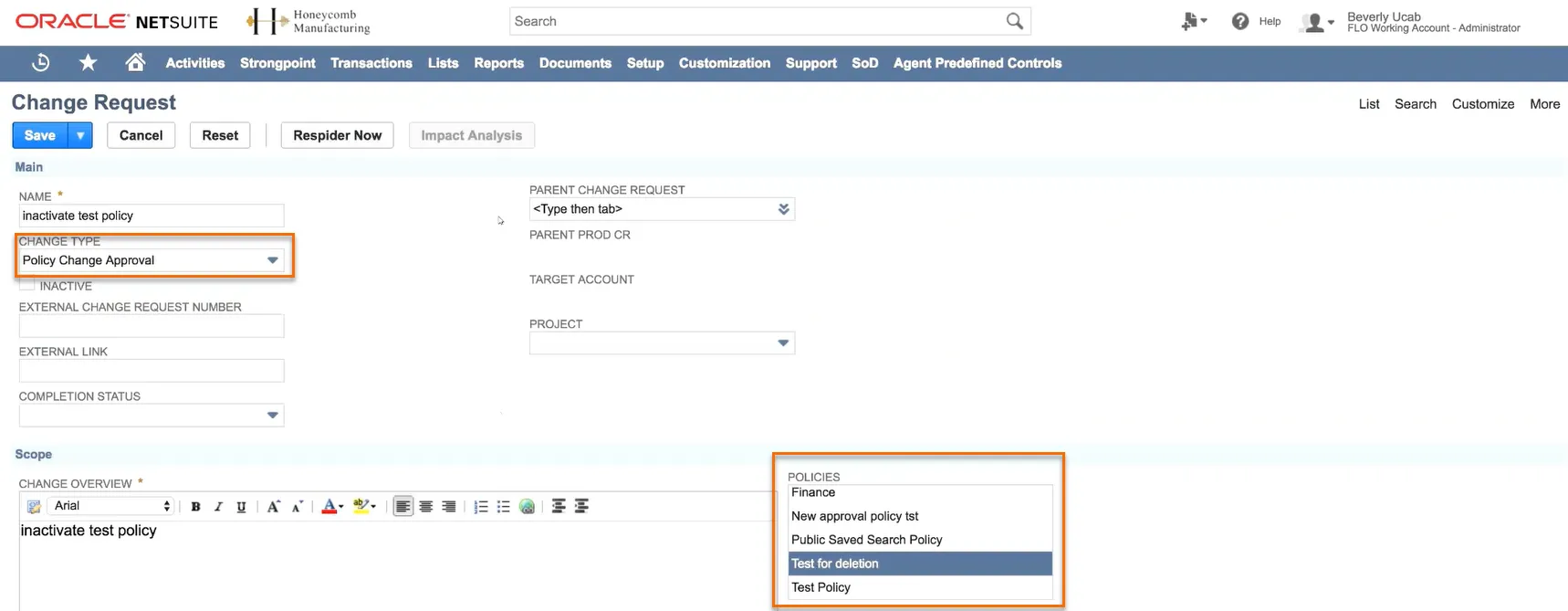
Fill in all mandatory fields including:
- Change Type: Policy Change Approval
- Policies: Select the policy you want to deactivate.
 3.
Get the Change Request Approved. 4. Click Save 5. Check the Inactive box.
3.
Get the Change Request Approved. 4. Click Save 5. Check the Inactive box.
 6.
Click Save
6.
Click Save