Netwrix Strongpoint for Netsuite 7.0 Release Notes
Core 7.0.3
July 28, 2023
-
Improved handling of searches used in script deployments. Changes are now evaluated as scripted objects to check for deployment dependencies.
-
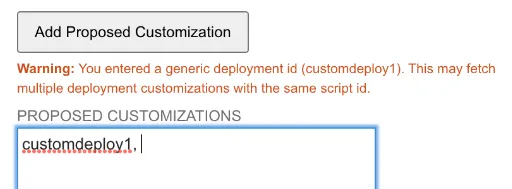
Added a warning on the change request for generic deployment script IDs. Using the generic ID fetches all deployment customizations that share this non-unique ID.
-
Bill of Materials and Inventory Number fields are deprecated and inactive in the policy record and list views.
Core 7.0.2.1
June 23, 2023
- Clarified handling of User Role Assignment changes with associated scripts. Assignments are now reported more accurately in the Change Log and not noted as Scripted Object changes.
Core 7.0.2
June 16, 2023
-
Autospider, Manual Spider and ReSpider Now now support French (both France and Canada) for Strongpoint customers using French in NetSuite.
-
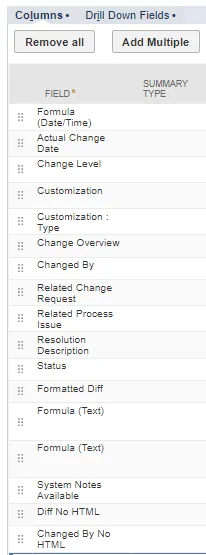
Changed By No HTML and Diff No HTML result options are available for customizing your Searches. Use these options to export the Change Management Reports with fields in plain text, removing HTML tags to improve readability.
-
Open Strongpoint > Change Management Reports > report_name > Customize.
-
Click Edit this Search.
-
Open the Results tab.
-
Click Add Multiple.
-
Click to select a Field. Use Ctrl-Click to select subsequent fields.
-
Click Add.
-
Click Save.
-
Core 7.0.1
May 16, 2023
-
Updated handling of system changes due to a NetSuite change in user base permissions. System changes are now handled as platform changes, and don't generate non-compliant change logs for user roles.
Manually resolve any non-compliant changes the system generated before this release. This update isn't retroactive.
-
Added a Print button to all Change Request screens.
Core 7.0
April 21, 2023
Reset Strongpoint scripts to Low Priority
This change ensures the Strongpoint scripts don't impact your performance. This change affects both new installs and updates to existing Strongpoint for NetSuite installations.
There is an exception for customers using the Agent module to run Large Controls. These scripts are set to Standard priority. Contact your Customer Success Manager for assistance if you are considering changing these associated scripts to a lower priority.
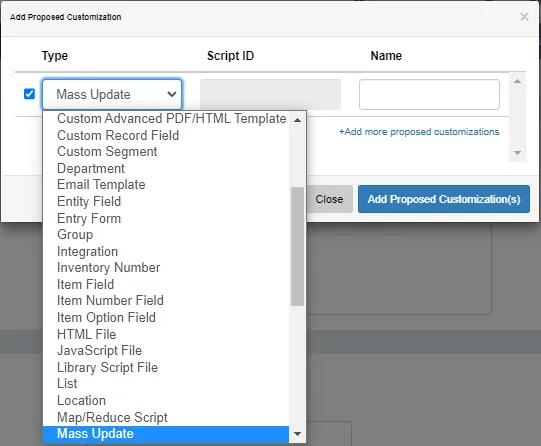
Mass Update Type Available as a Change Request Proposed Customization
Mass Update can be selected as a Type under Proposed Customizations. Specify the Name of the Mass Update you want to create.
NetSuite Make Copy Creates Content and Resets Status
Strongpoint ensures the Make Copy command found under the Actions option only copies the content, not the status. Copied change requests are set to the Not Started status.

Jira 1.2.14
-
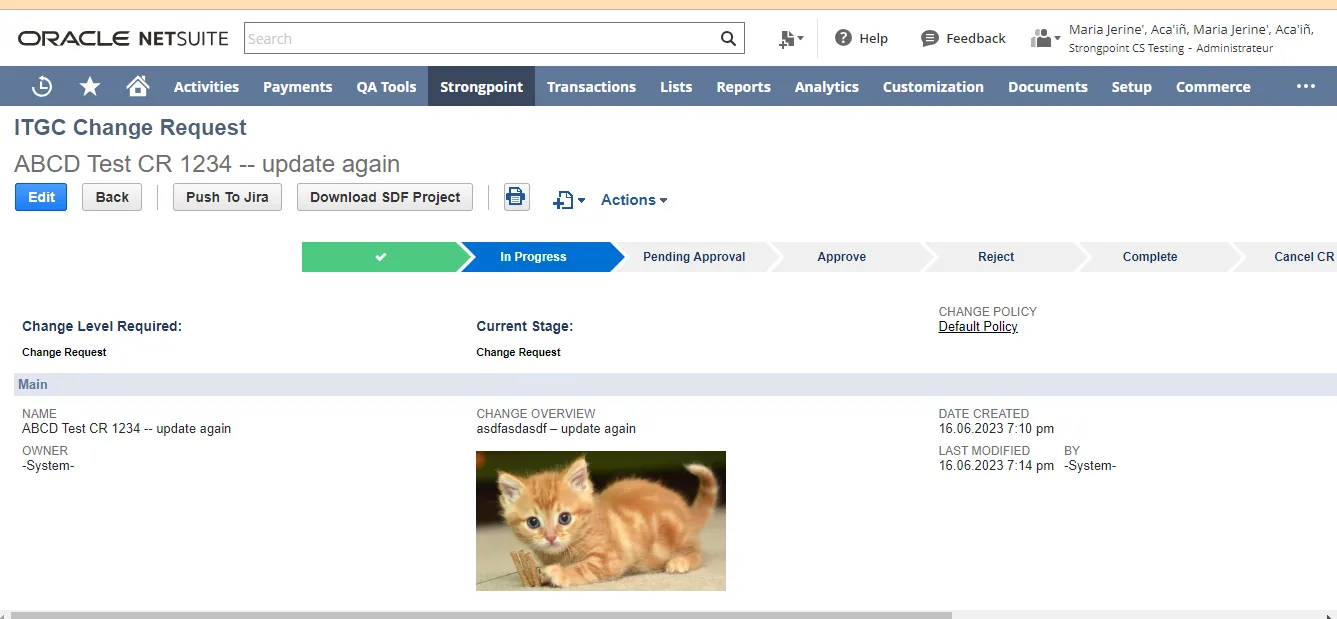
Added the ability to receive and store images attached in the Jira description by Jira ticket ID.
Jira 1.2.13
The following are the enhancements for the release:
- Change customization name to allow Single quotes (').
- Added Location to the Type dropdown on the Add Proposed Customization form.
Jira 1.2.11
The following are the enhancements for the release:
- Import Customizations from Jira
- Enable Allow NS to Jira Push (must be done before creating a ticket from NetSuite to Jira)
- Create Ticket from NetSuite to Jira
- Change customization name to allow Single quotes (').
- Added Group to the Type dropdown on the Add Proposed Customization form.
Import Customizations from Jira
An Import Customization button has been added to the Jira Strongpoint form. You can import an
xml file exported from a Jira ticket.
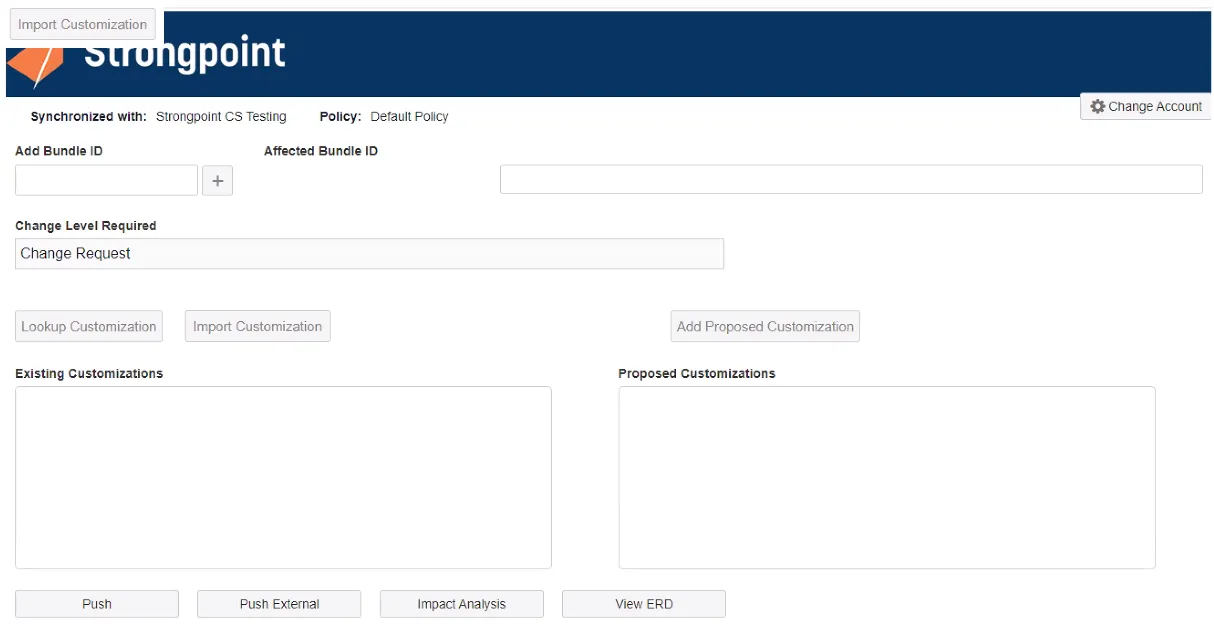
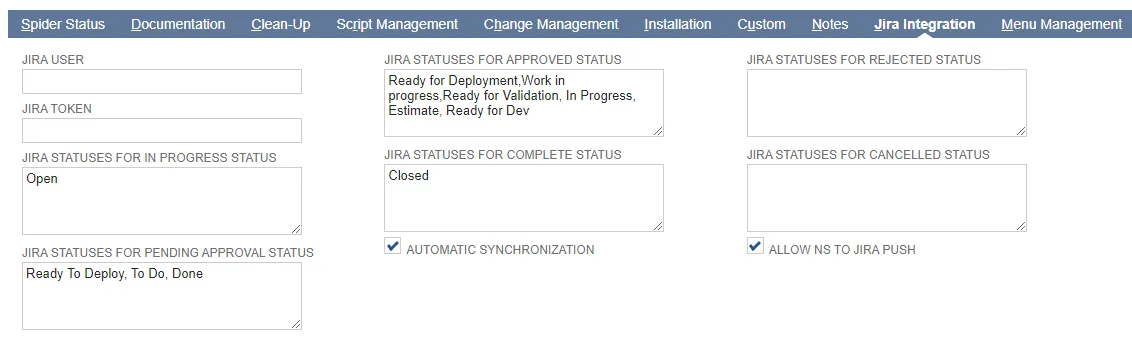
Enable Allow NS to Jira Push
This feature must be enabled before you can create tickets from NetSuite to Jira.
-
Open Strongpoint > Strongpoint Support > Installation Settings
-
Open the Jira Integration tab
-
Check Allow NS to Jira Push to enable pushing NetSuite change requests into Jira.
Create Ticket from NetSuite to Jira
Create Ticket from NetSuite to Jira must be enabled before you can create tickets from NetSuite to Jira.
- Create or open a change request in Strongpoint.
- Add your information and customizations.
- Click Push to Jira.
- Select your Jira project.

- Click Push. A Change Request Pushed message appears. Click Close.
- Open the Related Change Records tab. The ticket number is added as an External Change
Request Number. CM-15 in this example.

- Open Jira.
- Navigate to CM-15 ticket.

- Click Strongpoint NetSuite. The customizations from the change request are added.

Jira 1.2.10
The following are the enhancements for the release:
- Credentials are now persistent, and don't need to be entered every time.
- Strongpoint Settings page added to Jira
Strongpoint Settings for Jira
The Strongpoint Settings app is accessed through Jira. Use it to create your Token Based Authentication (TBA) credentials for your account. After creation, they are available for easy selection when performing your tasks.
Token-Based Authentication is set up through NetSuite. Refer to Setting up Token-Based Authentication.
-
Open Jira.
-
Open your Projects page:

-
Expand Add-ons.
-
Select Strongpoint Settings.
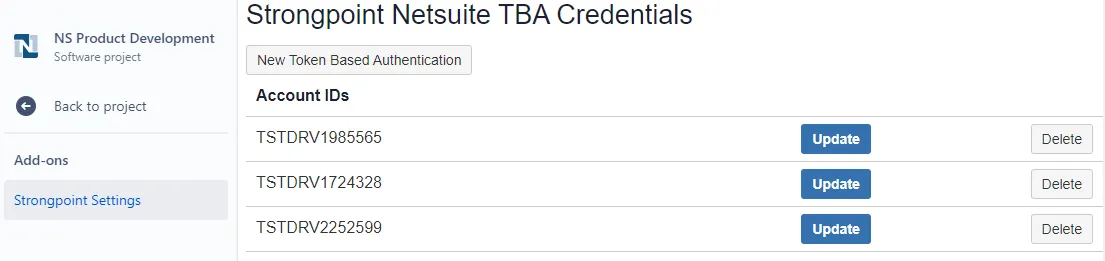
-
Click New Token Based Authentication to add your credentials. This needs to be done once for each of your accounts.

-
Enter your credentials and click Add Token Based Authentication Credential.