Configuration Console
The Password Policy Enforcer (PPE) Configuration Console is a graphical user interface for centrally configuring and managing PPE. You can install the Configuration Console on any server or workstation.
Use the PPE Configuration desktop shortcut or Start menu item to open the console. If these don't exist, then use the server components installer to install the Configuration Console.
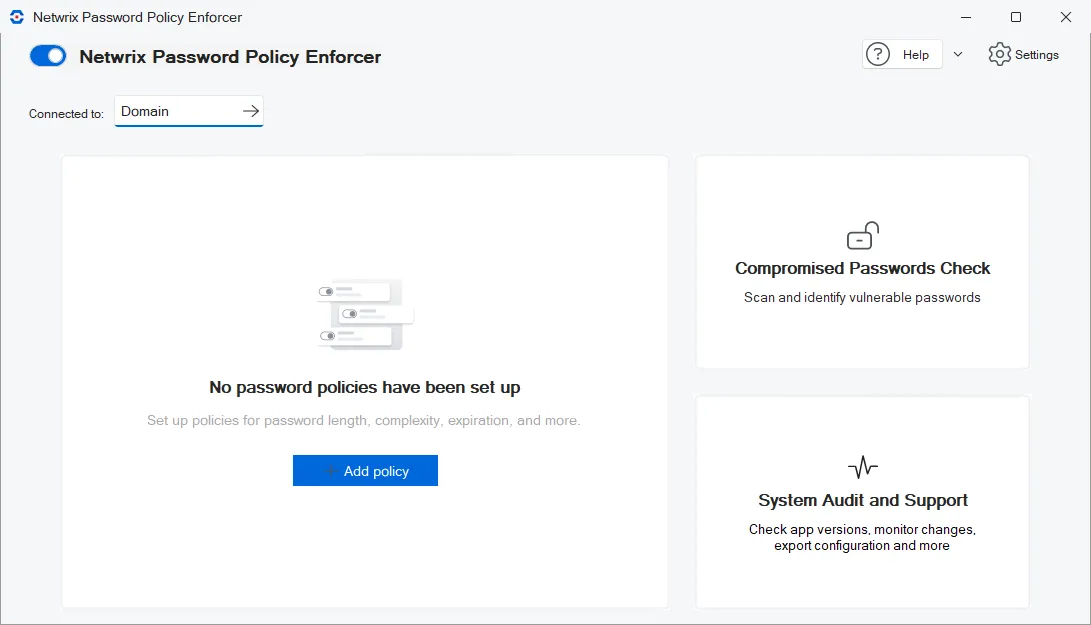
When you connect the console to a domain configuration, the configuration changes you make in the console replicate to all the domain controllers in the domain. Active Directory (AD) replication propagates the changes at normal replication intervals. The console applies configuration changes only to the local computer's registry when connected to a local configuration.
Enable and disable Password Policy Enforcer
Use the toggle switch in the upper-left corner of the home page to enable and disable Password Policy Enforcer. PPE is enabled by default, but it doesn't enforce any rules when first installed because you haven't defined any policies yet.

Get help
The Help menu contains the following items:
- Netwrix Help Center - displays the help documentation.
- About - displays version information.
- Export Configuration Report - creates a configuration report in HTML or text format. Netwrix Support may ask you to send a configuration report to help troubleshoot an issue.
- Open Property Editor - opens the Property Editor to directly edit the configuration, including settings that aren't exposed in the user interface. Only use the Property Editor when Netwrix Support instructs you to.
Set global settings
Click Settings to configure global configuration settings.
Connect to a configuration
Password Policy Enforcer can enforce password policies for domain and local user accounts. Domain configurations contain password policies for domain user accounts. Active Directory stores these configurations. The registry stores local configurations, which contain the password policies for local user accounts. Click the Connected to selector to connect to a configuration. You can choose which domain controller to connect to when working on a domain configuration. PPE always stores a local configuration in the local computer's registry.
PPE stores domain configurations in the CN=Password Policy Enforcer <version>,CN=System container object. It stores local configurations in the HKLM\SOFTWARE\ANIXIS\Password Policy Enforcer <version> registry key. Only users with write permission to these objects can configure PPE.
You can distribute local configurations by exporting the configuration registry key and importing it into other computers. The Domain and Local Policies page shows how to distribute a local configuration with Group Policy.
Add a policy
Click Add policy to create and configure a new password policy.
Check for compromised and reused passwords
Click Password Scanner to check for compromised and reused passwords.
Check your PPE installation
Click System Audit and Support to review and troubleshoot your PPE deployment.