Setting Up Automatic License Release
Overview
If one or more licensed Workstations have been permanently decommissioned, you can release and reassign their licenses. Endpoint Protector automatically reassigns released licenses to other active Workstations.
The Automatic License Release feature releases licenses from decommissioned Workstations that have not been online for a defined number of days (e.g., 30 to 360 days). This feature is not intended for frequent repeated reassignment of licenses among ephemeral or non-persistent virtual desktops, pooled sessions, or other temporary compute instances.
If you operate a non-persistent VDI (Virtual Desktop Infrastructure) environment, contact Netwrix to ensure your deployment and licensing model align with product use requirements.
Instructions
To set up Automatic License Release, log in to the Endpoint Protector web console and follow these steps:
- In the Endpoint Protector console, navigate to System Configuration > System Licensing.
- In the Licensing window, click View Licenses.
- Click the Automatic Release License button in the View Licenses window.
- Toggle the Automatic Release License option. In the Last Online drop-down, select either a predefined value or enter a custom value (between 30 and 360 days).
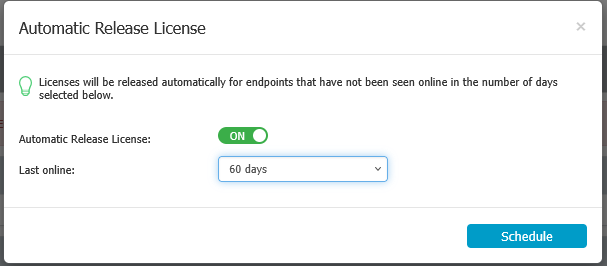
- Click the Schedule button. Endpoint Protector releases the licenses of all Workstations that were last seen longer than the defined value.