Licensing
This section provides a complete overview of your licensing status. Use it to manage licenses for Modules, such as Content Aware Protection and eDiscovery, as well as Endpoints, the computers you protect. You can import licenses, view details, and handle free trials.
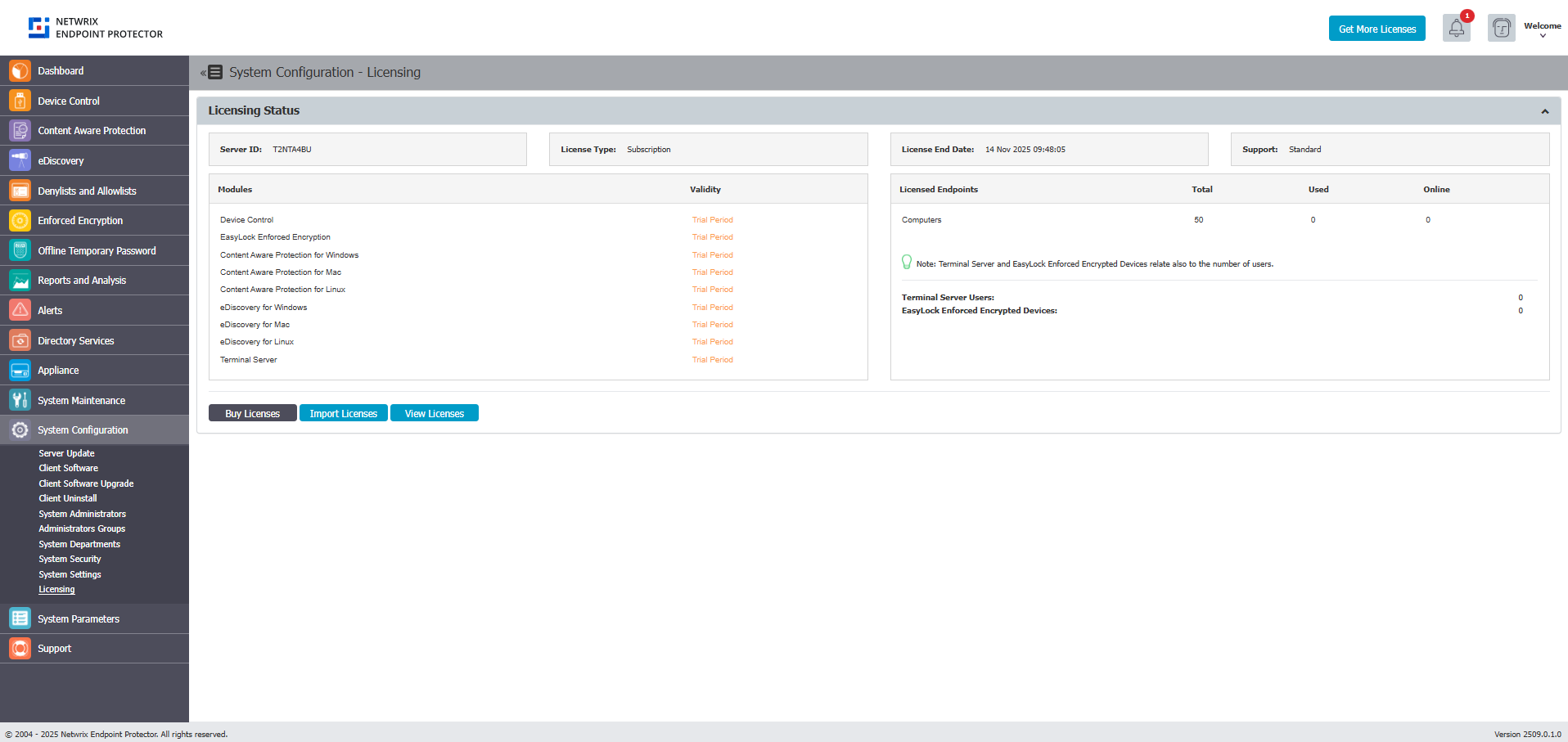
As of Endpoint Protector Version 5.9.0.0, Endpoint Protector introduced a new subscription-based licensing system. This change removes the licensing restrictions on Premium features, granting all customers unrestricted access to features like Contextual Detection. This adjustment aligns with the revised licensing model, categorizing all features as standard and accessible to all users.
Endpoint Protector Licensing is based on two main aspects:
- Modules – all modules are licensed separately (Content Aware Protection, eDiscovery, etc.) and require the Device Control module
- Workstations - A Workstation is any device (physical or virtual) on which the Software is installed, maintained, or accessed or that otherwise engages with the Software. Workstation includes without limitation desktop computers, laptops, virtual desktop instances, mobile phones, tablets, servers, kiosks, or endpoints.
- Counting with 30-Day Rolling Period - Each uniquely identifiable Workstation (e.g., via hostname, serial number, UUID, or a similar mechanism) is a single Workstation. The Customer must have an aggregate quantity of licenses for the maximum number of Workstation that interacts with the Software within each 30-day period of the Subscription Term (each a "License Window"). Any Workstation active during a License Window will count towards the total for that License Window.
Your Endpoint Protector representative will provide a licensing file based on the selected Modules and Workstations.
The Endpoint Protector Server ID uniquely identifies each server and links to the license file. Provide it to the Endpoint Protector representative before purchasing licenses.
The License End Date displays the validity of the licenses in the system, and Support represents the level of purchased Support (Standard or Premium)
Free Trial
Endpoint Protector provides a one-time free, 30-day trial period, and by enabling the Free Trial option, you will automatically enable all modules for 50 computers. Endpoint Protector assigns endpoint licenses on a first-in, first-served basis.
If you have permanently decommissioned one or more licensed Workstations, you can release and reassign their licenses. The system automatically reassigns released licenses to other active Workstations.
Import and Manage Licenses
Click Import Licenses to browse for the license file. It contains all the relevant information in a single file (modules, number of endpoints, expiry date, type of Support, etc.). Click View Licenses to manage endpoint licenses.
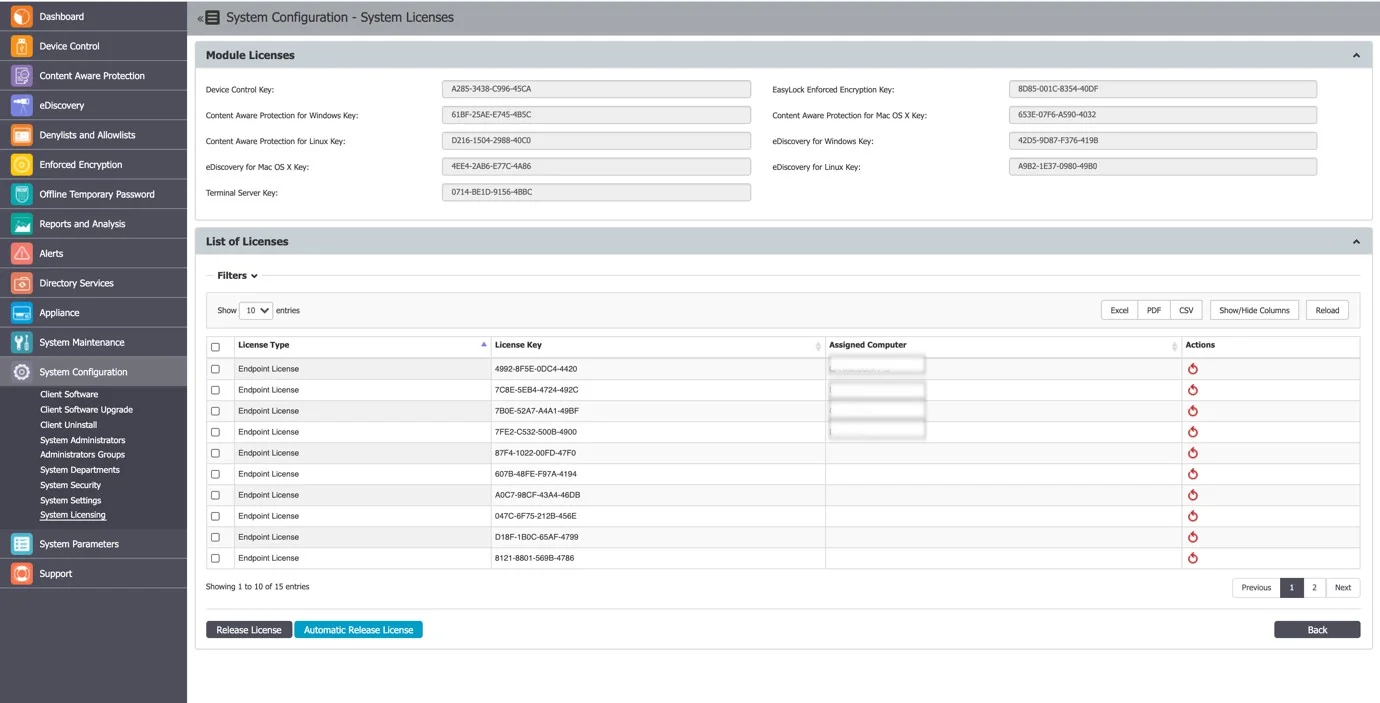
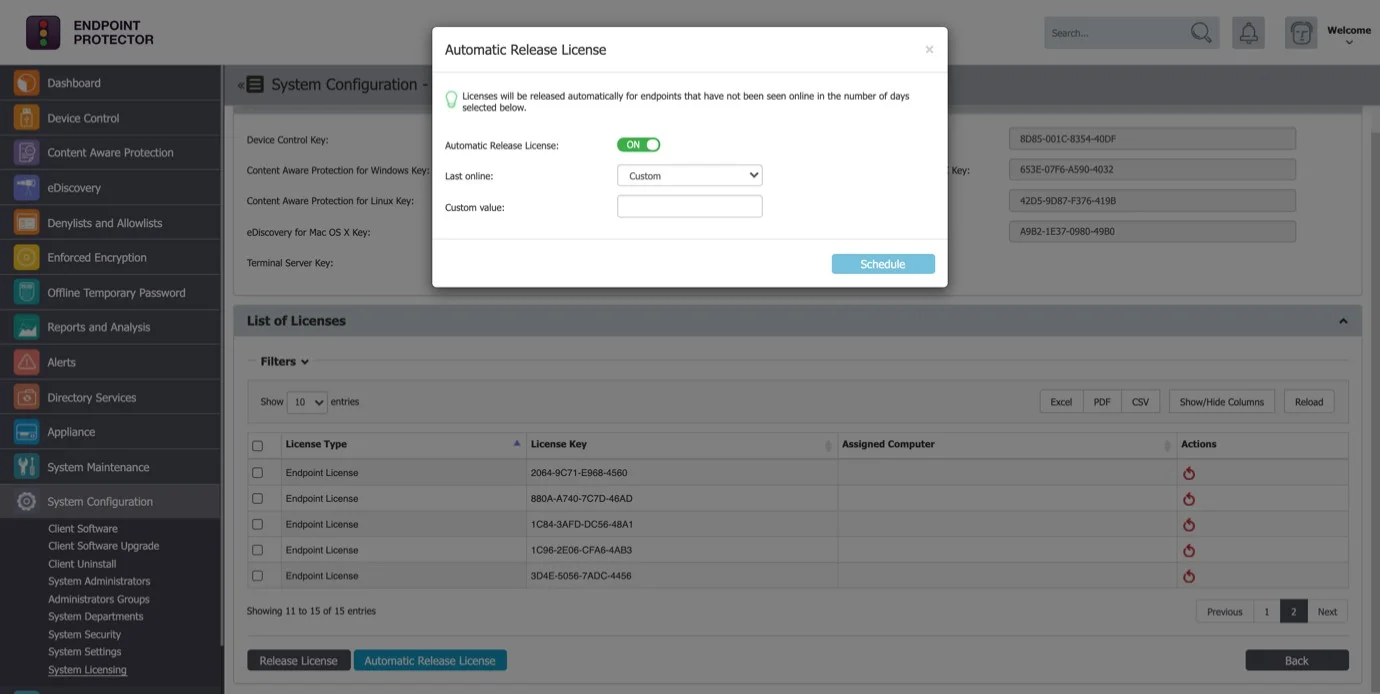
If you have permanently decommissioned one or more licensed Workstations, you can release and reassign their licenses. The system automatically reassigns released licenses to other active Workstations.
Use the automatic license release functionality to release licenses from decommissioned Workstations that have not been online for over a certain number of days (15, 30, 90 days, etc.). It isn't intended for frequent repeated reassignment of licenses among ephemeral or non-persistent virtual desktops, pooled sessions, or other temporary compute instances. If you operate a non-persistent VDI environment, contact Netwrix to ensure your deployment and licensing model align with product use requirements.
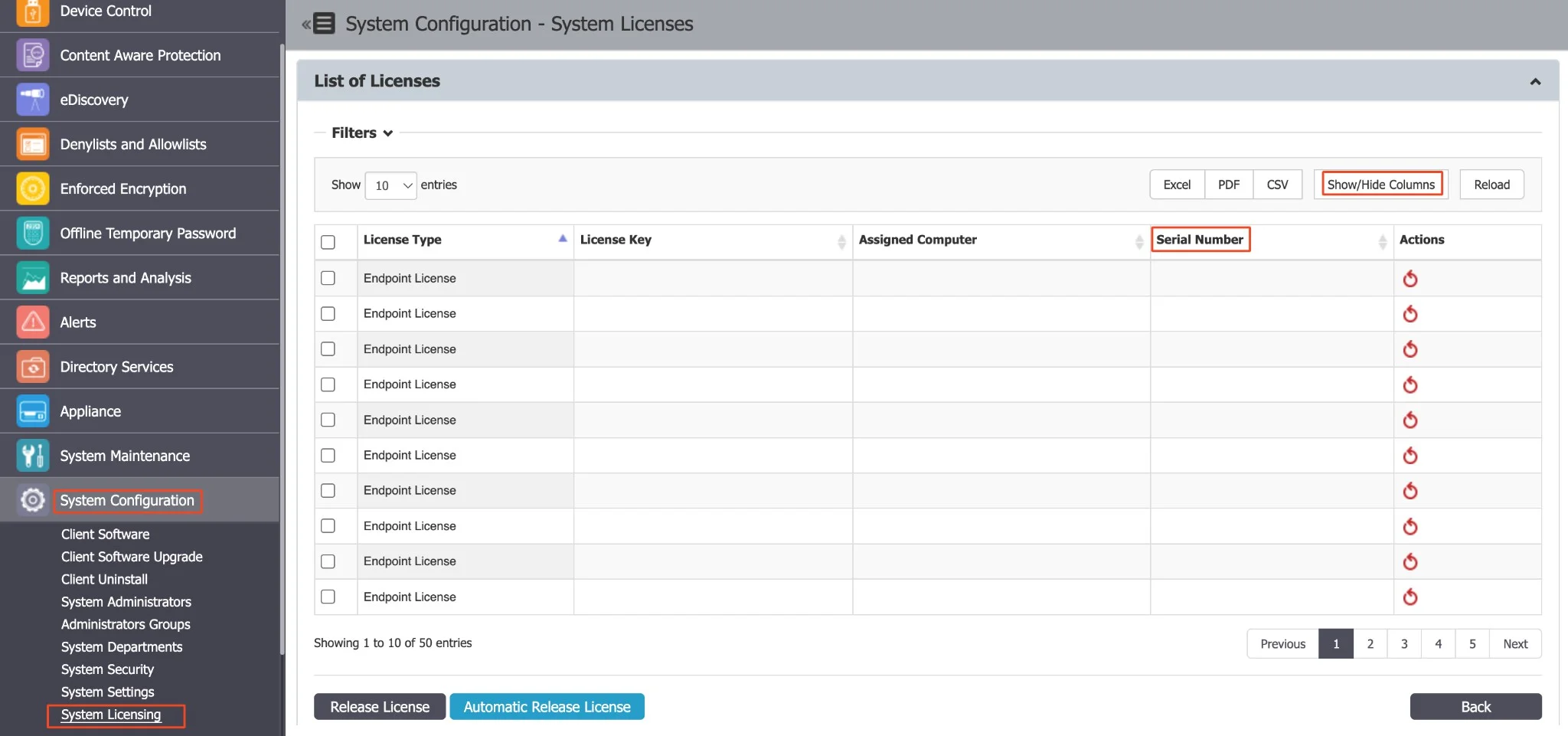
To streamline license management within System Configuration, navigate to Licensing and discover the Serial Number field under the View Licenses section. In the licensing table, you will find a Serial Number column. To customize your view, use the Show/Hide Columns button, including a checkbox for "Serial Number" (defaulted to 'show'). This resolves issues with identical computer names and facilitates more effective management via Serial Number integration, reinforced by MachineUUIDs.
If a computer's Serial Number is absent, Endpoint Protector uses MachineUUID to ensure endpoint machine reliability. MachineUUID now appears in the license page column across all OS platforms.