Content Aware Protection for AI interactions
Introduction
As artificial intelligence tools become increasingly integrated into everyday business processes, Netwrix Endpoint Protector (EPP), a leader in Data Loss Prevention (DLP) technology, has addressed the need for enhanced visibility and control. Starting with EPP Client release 2511, Netwrix introduced a set of features that extends Data Loss Prevention to Large Language Models (LLMs).
Key Features
This new functionality enables businesses to maintain precise control over information exchanges with popular AI chat applications. By incorporating Data Loss Prevention for LLMs, EPP enhances security by:
- Letting administrators manage who can interact with AI prompts through web applications.
- Offering tools to oversee sensitive content, whether users type it directly or attach it as a file.
Benefits
By implementing these controls, organizations can protect sensitive information during interactions with AI applications, thereby reducing the risk of data leaks and maintaining compliance with internal and external data security policies.
AI Interaction Visibility and Control in Netwrix Endpoint Protector: Data Loss Prevention for LLMs
Endpoint Protector extends Data Loss Prevention to the most widely used AI technologies — including ChatGPT, Microsoft Copilot, Google Gemini, DeepSeek, X Grok, Claude, Meta AI, Perplexity and Cursor — ensuring secure and compliant use across your organization. Coverage includes the embedded Microsoft Copilot add-in in Windows 11, New Outlook, New Teams, and Edge. Endpoint Protector also provides visibility and control over ChatGPT, Claude, and Copilot native clients.
Configure Netwrix EPP to Monitor AI Prompt Transactions
To monitor or control AI prompts with EPP, you need to meet the following prerequisites:
- use latest EPP Server version
- use latest EPP Client version
- Content Aware Protection (CAP) license with the CAP module enabled
- Deep Packet Inspection (DPI) module enabled
If you meet all of the preceding requirements, most of the setup is already complete. This is because any existing web browser monitor/control policy will automatically apply to user interactions with supported AI chat applications, enforcing your policy definitions when violations occur.
Use Case Example
Example 1: Simple CAP Policy Triggering on Credit Card Detection
To configure a CAP policy for this purpose:
- Define the CAP "Policy Name," "Policy Action," and "Thresholds" according to your requirements.
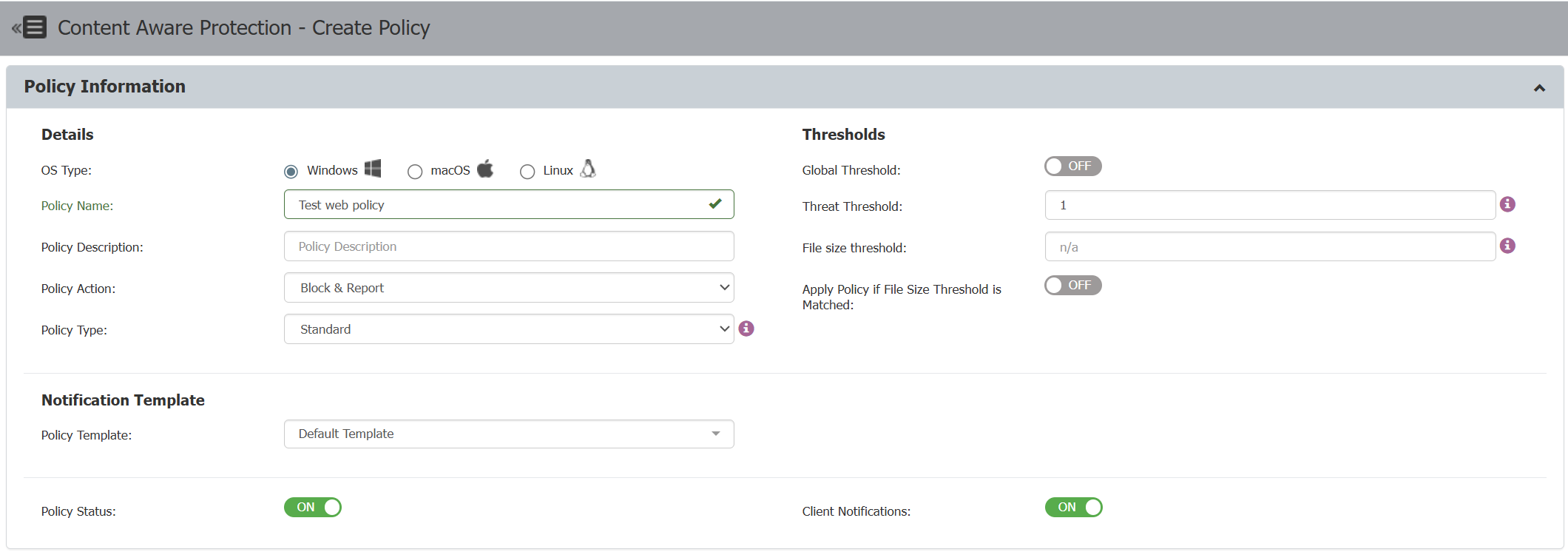
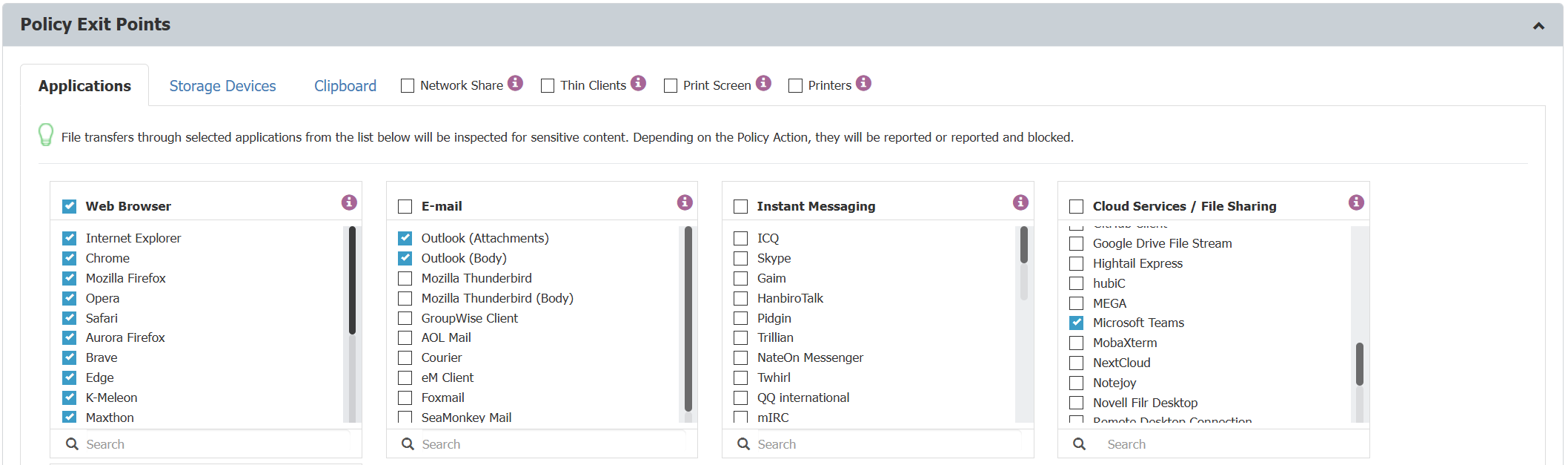
- Define CAP application exit points by selecting the web browsers you want to monitor or control. Ensure you check the relevant browsers so the policy applies when users interact with AI chat applications through these browsers.
- Define CAP Policy Denylists for this use case by selecting the necessary credit card patterns. Ensure you check the appropriate patterns so the policy detects and blocks any attempts to submit credit card information through AI chat applications.

- Save the policy and assign it to your selected endpoints.
- Endpoint Protector enforces the policy on the devices where you want to monitor or control AI prompt transactions.
Watch the following video to see this example:
Description of video: The test covers several AI platforms: Copilot, ChatGPT, Google Gemini, DeepSeek, and X Grok.
- Responsiveness Check – Verified that each AI model was actively responding, ensuring the interaction was genuine and not a simulated or dummy web transaction triggered by the URL.
- Data Leakage Simulation – The test submitted credit card (CC) patterns to each AI platform for validation. An AI engine generated the sample data. The CAP policy automatically blocks any transaction containing CC data.
- Cross-Engine Validation – The test repeated the same procedure across all mentioned AI engines to confirm consistent behavior and validate DLP enforcement.
- Conclusion – The demonstration confirms that Netwrix EPP DLP integrates seamlessly with AI tools such as Copilot, ChatGPT, Google Gemini, DeepSeek, and X Grok to prevent data leakage, enforce compliance, and ensure secure information handling at the endpoint level, while maintaining a positive user experience.
Example 2: Contextual CAP Policy Triggering on PII patterns in combination for Copilot web & apps
To configure a CAP policy for this purpose:
- Define the CAP "Policy Name," "Policy Action," and "Thresholds" according to your requirements.
- Define CAP application exit points by selecting the web browsers you want to monitor or control. Ensure you check the relevant browsers so the policy applies when users interact with AI chat applications through these browsers.
For Copilot plugins in New Outlook, Teams, or Windows 11 25H2, also verify the in-app definitions for Outlook and Teams when configuring policies.
- Define Policy Denylists for this use case by selecting the necessary credit card patterns. Ensure you check the appropriate patterns so the policy detects and blocks any attempts to submit credit card information through AI chat applications.
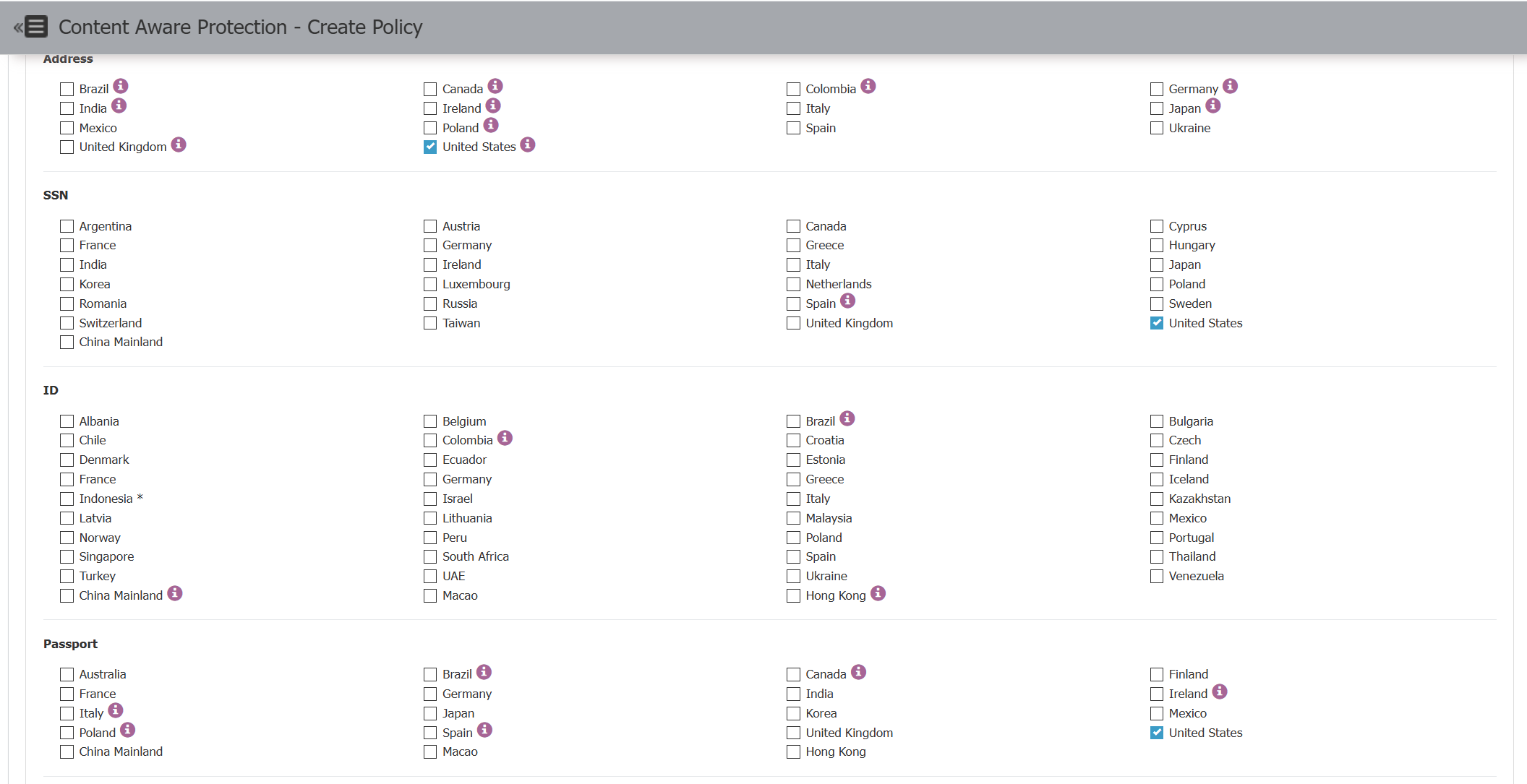
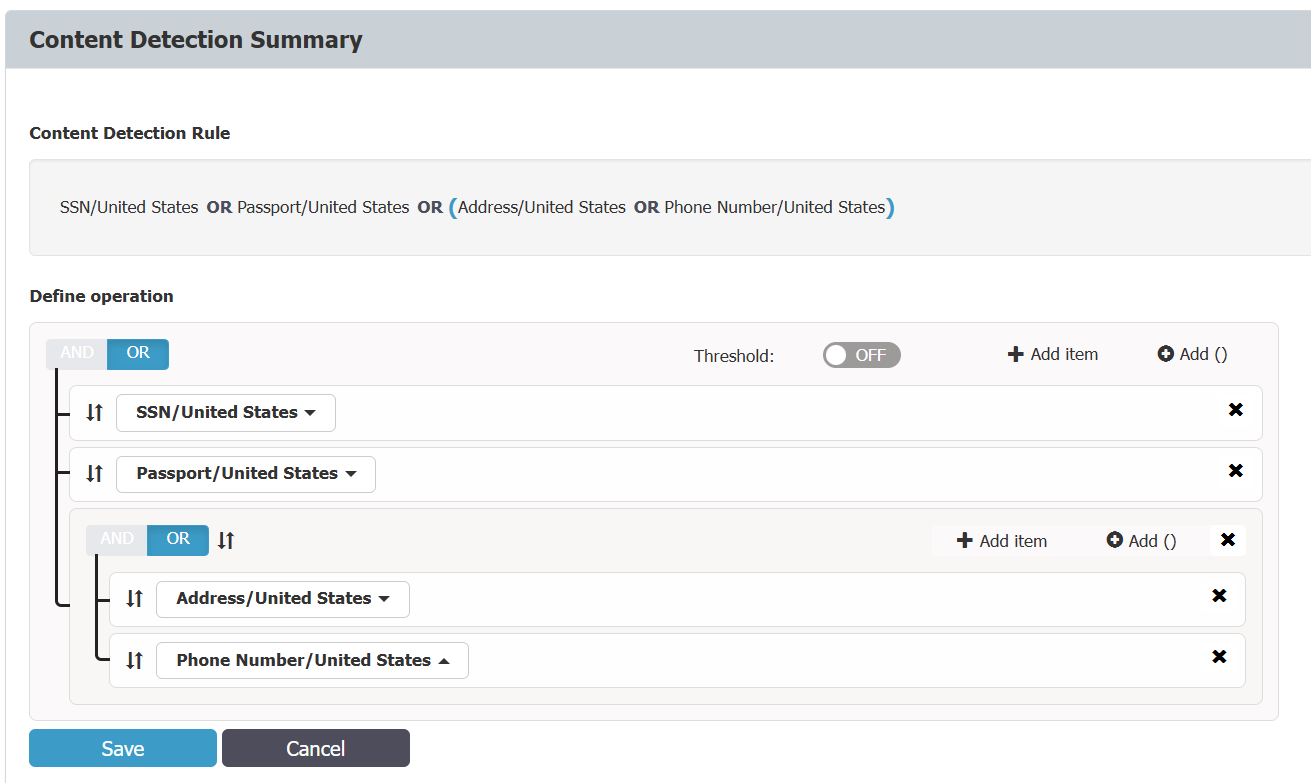
You can use contextual rules to create complex pattern definitions for more accurate and flexible policy enforcement.
- Save the policy and assign it to your selected endpoints.
- Endpoint Protector enforces the policy on the devices where you want to monitor or control AI prompt transactions.
Watch the following video to see this example:
Description of video:
The test begins with verifying Copilot’s functionality to ensure proper operation.
• Initial HR Scenario – The test simulates an HR use case in which Copilot enhances employment contract templates without sensitive data to improve formatting and presentation quality.
• Data Leakage Prevention Test – The test introduces a realistic dataset containing sensitive HR information from a CRM system. When Copilot processes this data, the Netwrix DLP solution detects personal data and automatically blocks the transaction, preventing unauthorized disclosure.
• Microsoft Teams Scenario – The test runs the same scenario using Copilot integrated with Microsoft Teams. The DLP system again identifies sensitive information and stops the operation, confirming consistent protection within collaboration environments.
• Outlook Scenario – The test repeats the procedure in Microsoft’s new Outlook with Copilot Agent. Despite the platform change, the DLP system maintains the same behavior, successfully blocking data transmission.
• Conclusion – The demonstration confirms that Netwrix EPP DLP integrates seamlessly with AI tools such as Copilot to prevent data leakage, enforce compliance, and ensure secure information handling across Microsoft 365 applications.