Processing Settings
On the Processing Settings step, select options for data processing and classification.
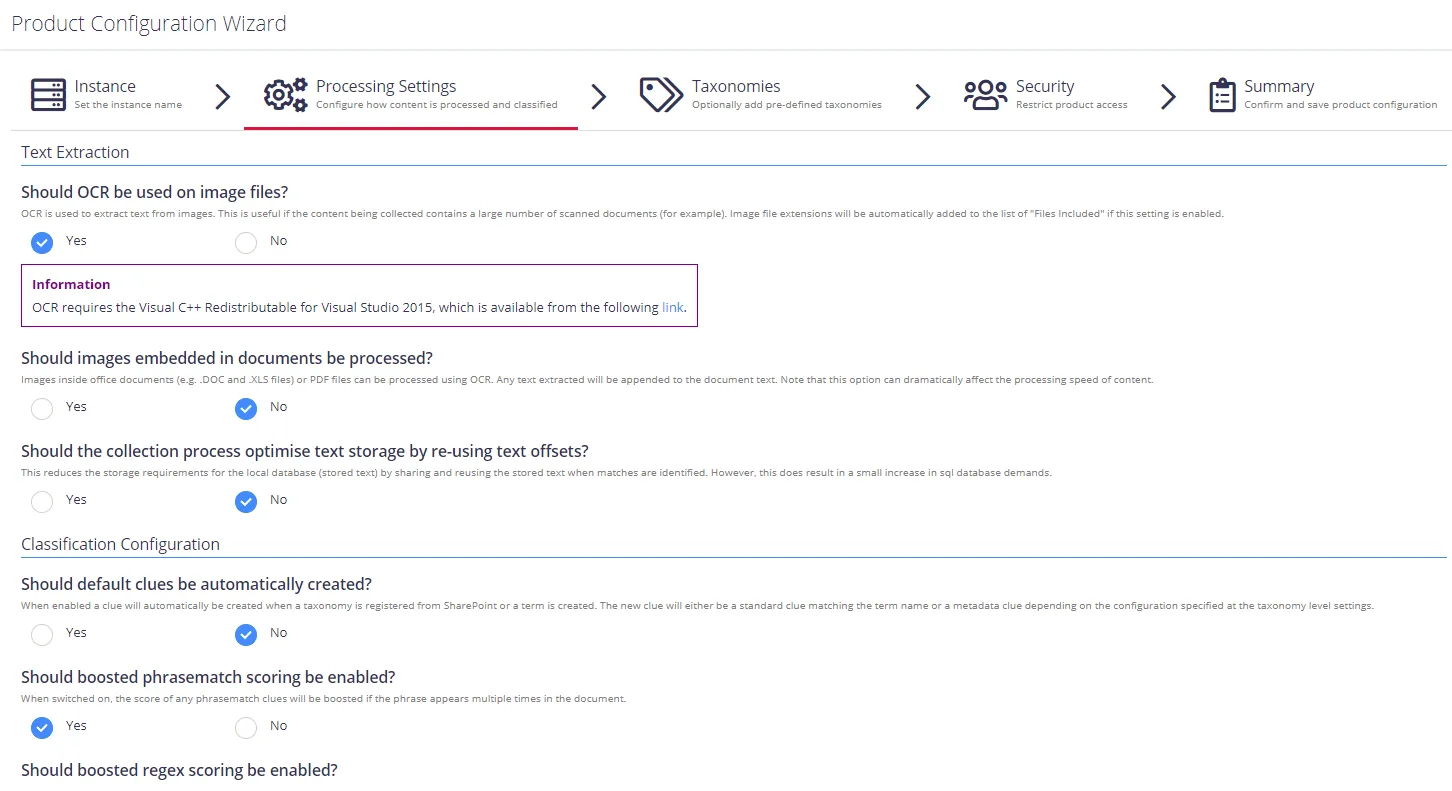
Review the following for additional information:
| Option | Description |
|---|---|
| Text Extraction | |
| Should OCR be used on image files? | Optical Characters Recognition is a technology used to extract text from images. Enable OCR if the content being collected contains a large number of scanned documents (for example). Performing OCR on documents can significantly reduce indexing performance. IMPORTANT: OCR requires the Visual C++ Redistributable for Visual Studio 2015. Visit the Microsoft website to download it. |
| Should images embedded in documents be processed? | Enable this option to perform OCR text extraction on images contained within documents. |
| Should the collection process optimise text storage by re-using text offsets? | Enable this option to use text offsets. |
| Classification Configuration | |
| Should default clues be automatically created? | Enable if you want a default clue to be created automatically when registering a taxonomy from SharePoint or creating a classification term within the NDC UI. The created clue will either be a Standard clue matching the term name or a Metadata clue, depending on the configuration specified at the taxonomy level settings. See Classification Rules (Clues) for details on clue types. |
| Should boosted phrasematch scoring be enabled? | Enable to boost the score of any phrasematch clues if the phrase appears multiple times in the document. |
| Should boosted regex scoring be enabled? | Enable to boost the score of any regex clues if the regular expression appears multiple times in the document. |
| How should regular expressions be processed? | Enables and disables case sensitivity when processing regular expressions. |
| Store trimmed classifications to improve reclassification performance? | Enable to store trimmed classifications to the SQL database (trimmed due to the maximum number of classifications being hit for a document). This improves classification performance at the cost of increasing the size of the SQL database. |
Proceed with adding taxonomies.