FSAA: FSAA Update Service Setting
Use the FSAA Update Service Setting page to automatically update the File System Proxy Service on hosts where the service is already installed. This page requires the File System Proxy Service to be v8.0 or later. This wizard page applies to the Update Proxy Service category.
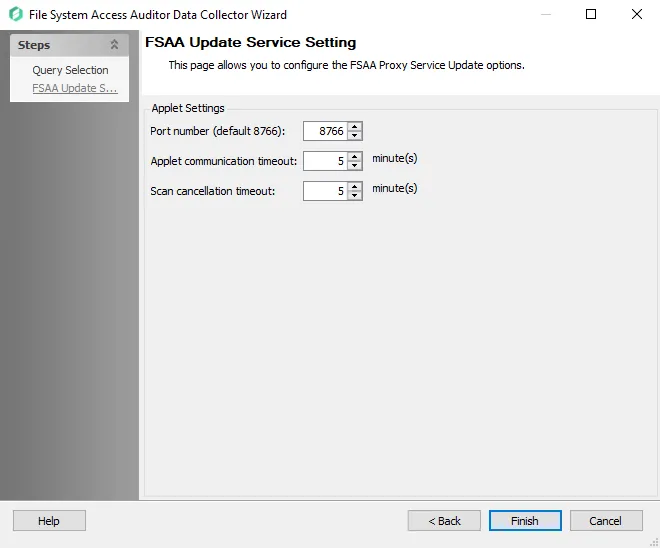
Configure the settings for the targeted File System Proxy Service:
- Port number – The default port number is 8766
- Applet communication timeout: [number] minutes – This option determines the length of time (in minutes) the Access Analyzer Console attempts to reach the proxy before giving up. Depending on the job configuration, the data collector behaves in one of three ways after the timeout value has been exceeded.
- Scan cancellation timeout: [number] minutes – When selected, this option will timeout the applet if there is an attempt to pause the scan and the applet doesn't respond
See the FSAA: Applet Settings topic for additional information.