Enable Remote Registry Service
To enable the Remote Registry service:
Step 1 – Navigate to Start > Windows Administrative Tools > Services.
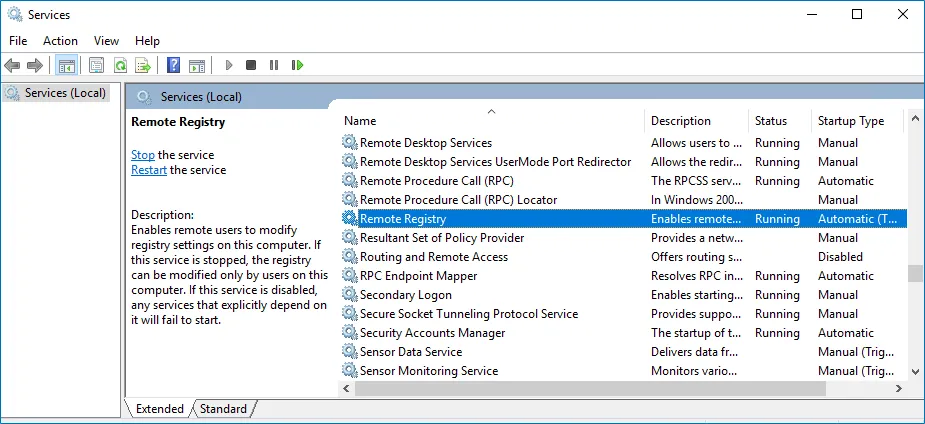
Step 2 – In the Services window, locate the Remote Registry service, right-click it and select Properties.
Step 3 – In the Remote Registry Properties dialog box, ensure the Startup type parameter is set to Automatic and click Start.
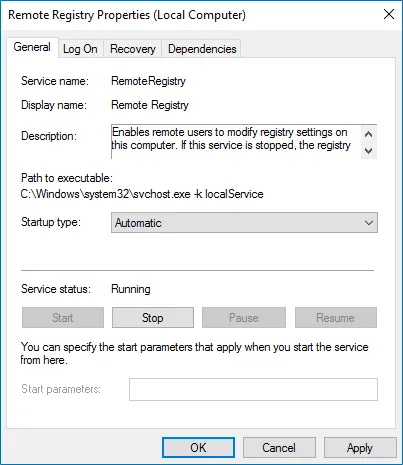
Step 4 – In the Services window, ensure that the Remote Registry service has the Running status on Windows Server 2012 and above.
note
Enable the Remote Registry service on the target server.