Configure Object-Level Access Auditing
Netwrix 1Secure supports auditing for the following access types:

Configure Object-level Access Auditing on Windows Server 2012 and Above
To configure object-level access auditing on Windows Server 2012 and above:
Step 1 – Navigate to the target file share, right-click it and select Properties.
Step 2 – In the <Share_Name> Properties dialog box, select the Security tab and click
Advanced.
Step 3 – In the Advanced Security Settings for <Share_Name> dialog box, navigate to the
Auditing tab.
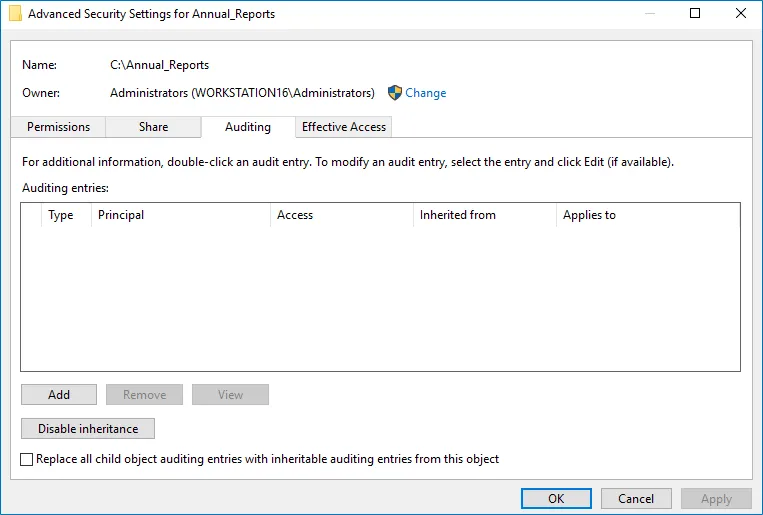
Step 4 – Click Add to add a new principal. You can select Everyone (or another user-defined group containing users that are granted special permissions) and click Edit.
Step 5 – In the Auditing Entry for <Folder_Name> dialog box, click the Select a principal
link and specify Everyone.
You can specify any other group as needed. The product will audit only user accounts that are members of the selected group.
Step 6 – Apply settings to your Auditing Entries depending on the access types you want to audit. To audit all access types, add separate Auditing Entries for each file share. Otherwise, reports contain limited data and warning messages.